

AI Agent Component Spec
AI Agent Component Spec
- Package:
@cometchat/chat-uikit-react - Framework: Next.js
- Key components:
CometChatMessageHeader+CometChatMessageList+CometChatMessageComposer - Required setup:
CometChatUIKit.init(UIKitSettings)thenCometChatUIKit.login("UID") - Parent guide: Next.js Integration

User Interface Preview
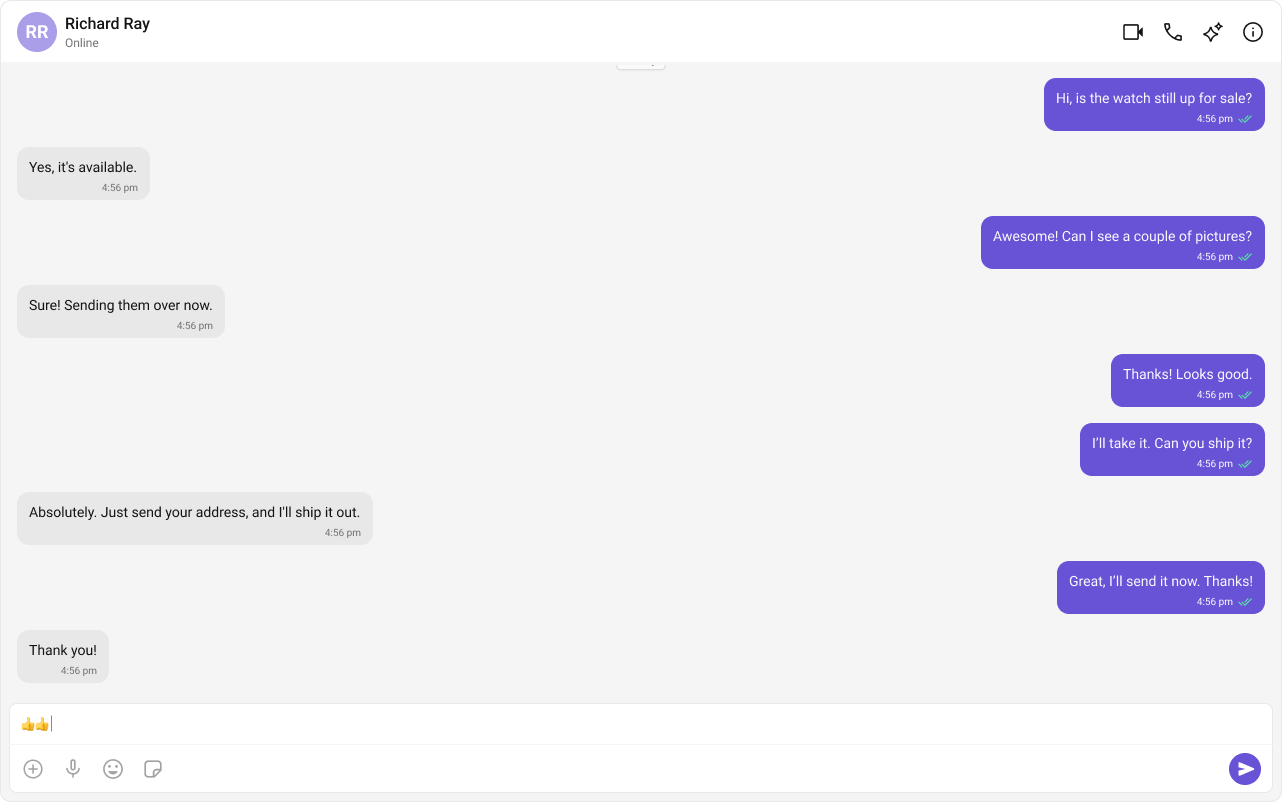
Key Components
- Chat Header — recipient details and optional call/video buttons
- Message View — real-time chat history
- Message Composer — text input with media, emoji, and reaction support
Step-by-Step Guide
Add the Message Composer
Implementation
Now we will create theCometChatNoSSR.tsx & CometChatNoSSR.css files. Here, we will initialize the CometChat UI Kit, log in a user, and build the messaging experience using CometChatMessageHeader, CometChatMessageList, and CometChatMessageComposer components.- TypeScript
- CSS
CometChatNoSSR.tsx
Fetching a User (One-on-One Chat)
Fetching a Group (Group Chat)
Disabling SSR for CometChatNoSSR.tsx in Next.js
In this update, we will disable Server-Side Rendering (SSR) for Disabling SSR in
Modify your
CometChatNoSSR.tsx while keeping the rest of the application’s SSR functionality intact. This ensures that the CometChat UI Kit components load only on the client-side, preventing SSR-related issues.Disabling SSR in index.tsx
Modify your index.tsx file to dynamically import the CometChatNoSSR.tsx component with { ssr: false }.index.tsx
Why disable SSR?
- The CometChat UI Kit depends on browser APIs (window, document, WebSockets).
- Next.js pre-renders components on the server, which can cause errors with browser-specific features.
- By setting
{ ssr: false }, we ensure that CometChatNoSSR.tsx only loads on the client.
Update Global CSS
Next, add the following styles to global.css to ensure CometChat UI Kit is properly styled.
global.css