

AI Agent Component Spec
AI Agent Component Spec
- Package:
@cometchat/chat-uikit-react - Framework: React Router
- Key components:
CometChatConversations+CometChatMessageList - Required setup:
CometChatUIKit.init(UIKitSettings)thenCometChatUIKit.login("UID") - Parent guide: React Router Integration
User Interface Overview
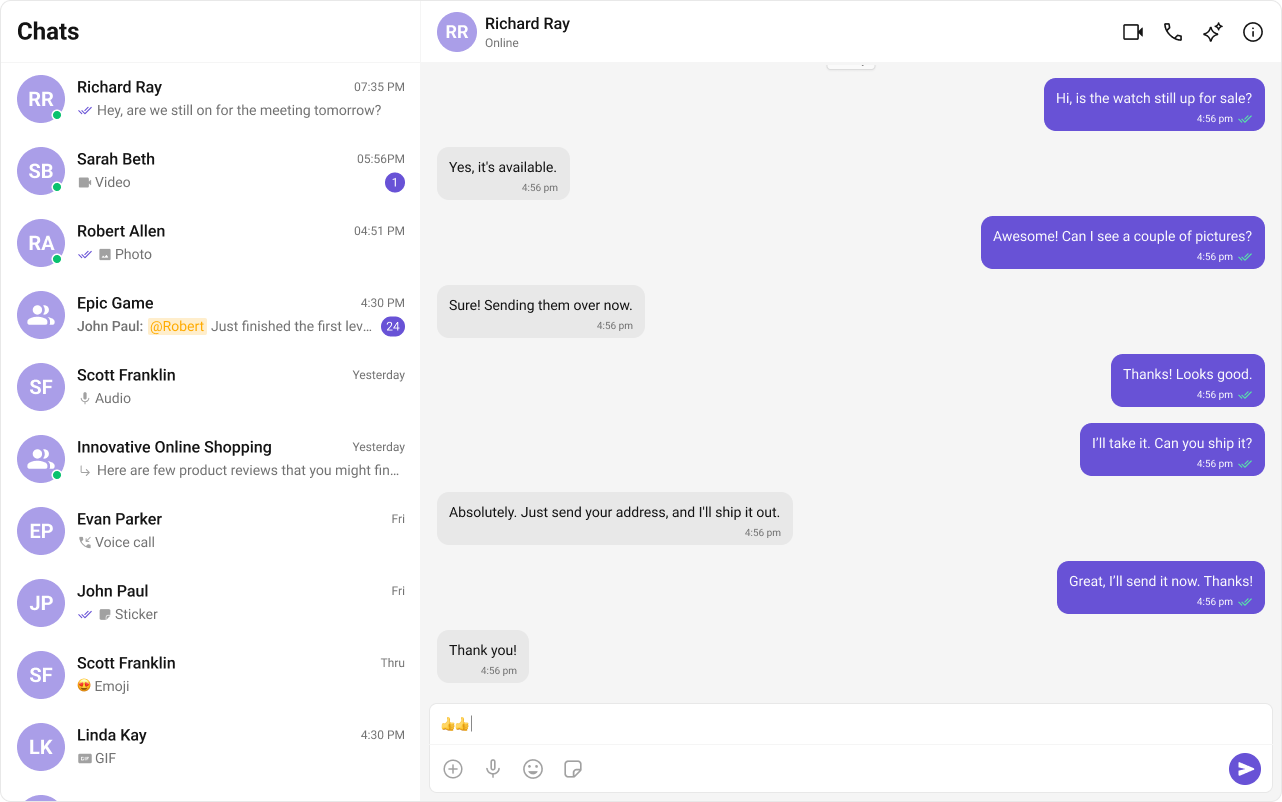
- Sidebar (Conversation List) — active conversations (users and groups)
- Message View — messages for the selected conversation
- Message Composer — text input with media, emoji, and reaction support
Step-by-Step Guide
Create Sidebar
Let’s create the
🔗 GitHub Assets Folder
Sidebar component which will render different conversations.Folder Structure
Create aCometChatSelector folder inside your src/app directory and add the following files:Download the Icon
These icons are available in the CometChat UI Kit assets folder. You can find them at:🔗 GitHub Assets Folder
- TypeScript
- CSS
CometChatSelector.tsx
Render Experience
Now we will create the
CometChatNoSSR.tsx & CometChatNoSSR.css files. Here, we will initialize the CometChat UI Kit, log in a user, and build the messaging experience using CometChatMessageHeader, CometChatMessageList, and CometChatMessageComposer components.- TypeScript
- CSS
CometChatNoSSR.tsx
Disable SSR and Render the CometChat Component
Create a file CometChat.tsx inside the routes folder:Now, create a route for CometChat in your routes file:
Why disable SSR? CometChat UI Kit Builder relies on browser APIs such as window, document, and WebSockets. Since React Router renders on the server by default, disabling SSR for this component prevents runtime errors.
Update App CSS
Next, add the following styles to app.css to ensure CometChat UI Kit is properly styled.
app.css